 how-to
How to Spot Digitally Staged Furniture in Listings
Last Updated: October 22, 2026
Quick Summary
To spot digitally staged furniture, zoom to full resolution and check four layers in order: lighting and shadow direction, contact with the floor, perspective and scale against doors and floor plans, and texture or repeated objects. Furniture that is too small for the room is the clearest sign a photo has been manipulated.
- Trace shadows from windows to furniture and confirm they fall in the same direction.
- Look under every leg for a soft contact shadow where furniture meets the floor.
- A standard internal door is roughly 0.76 to 0.84 metres wide, so compare furniture to it.
- Cross-check furniture size against the floor plan's stated room dimensions.
- Ask the agent which images have digitally staged furniture and request unedited photos of empty rooms.
Table of Contents
- Why Digitally Staged Furniture Is Common in Listings
- Signs of AI-Generated Furniture in Listing Photos
- How to Check Room Size from Property Listing Photos
- Virtual Staging Disclosure in Property Listings
- Questions to Ask an Estate Agent About Listing Photos
- Distinguishing Virtual Staging from Ordinary Photo Enhancement
- A Practical Visual Checklist for Spotting Digitally Staged Furniture
- Conclusion
- Frequently Asked Questions
Why Digitally Staged Furniture Is Common in Listings
Digitally staged furniture is virtual furniture added to photos of empty rooms using editing software or AI tools.
At Property Home Photos, we photograph plenty of empty properties.
The trade-off is trust. When staging is done well, it helps a buyer understand layout.
Below, we will show you exactly what to look for, from odd shadows to room scale that does not add up.
Signs of AI-Generated Furniture in Listing Photos
The clearest signs of AI-generated furniture in listing photos are wrong shadows, floating legs, and furniture that ignores the room's real proportions. AI tools are good at making a sofa look like a sofa.
Rather than scanning for one giveaway, work through four diagnostic layers in order. Each layer catches a different class of artefact, and most staged images fail at least one.
Layer 1: Lighting and shadow geometry
Light travels in straight lines. If a window is on the left of the frame, every shadow in the room should fall to the right, and the shadow length should be consistent with the height of the object casting it. AI staging tools frequently:
- Cast shadows in two directions in the same room, because the furniture was generated from a different lighting model than the original photo.
- Omit the soft ambient shadow under a sofa or bed, leaving the furniture looking pasted on.
- Produce shadows that are too sharp or too soft relative to the rest of the room.
Trace one shadow from a window across the floor to a piece of furniture. If the direction or softness changes, the furniture was almost certainly added.
Layer 2: Contact and floor interaction
Real furniture touches the floor. Look under every leg, plinth and skirting edge:
- Floating legs. Chair and table legs that stop a few pixels above the floor, or cast no contact shadow.
- Missing occlusion. A rug that should tuck under a sofa but instead sits on top of it, or a chair leg that passes through a rug rather than pressing into it.
- Impossible floor contact. A heavy wardrobe with no shadow or reflection beneath it, especially on glossy flooring.
Layer 3: Perspective and scale consistency
Every photo has a vanishing point. Furniture added digitally should share it. Warning signs include:
- A sofa whose back edge recedes at a different angle to the floorboards or ceiling line.
- A bed that looks parallel to the camera in a room photographed at an angle.
- Furniture that is too small relative to doors, radiators, plug sockets and skirting boards. A standard internal door is roughly 0.76 to 0.84 metres wide; a sofa that looks narrower than the door is a red flag.
- A dining table that seats six but occupies less floor space than a two-seat sofa in the same image.
Layer 4: Texture, repetition and AI artefacts
AI generation leaves fingerprints in texture and repetition:
- Repeated objects. The same plant, cushion, artwork or lamp appearing twice in one room, or identical cushion patterns on opposite sofas.
- Merged geometry. Chair legs that fuse into each other, table edges that dissolve into a wall, or a lamp that appears to grow out of a side table.
- Nonsensical details. Books with no spines, plants with impossible leaf structures, or a mirror reflecting furniture that is not in the room.
- Over-smoothing. Furniture with no fabric texture, no seams and no wear, sitting in a room that otherwise shows realistic age.
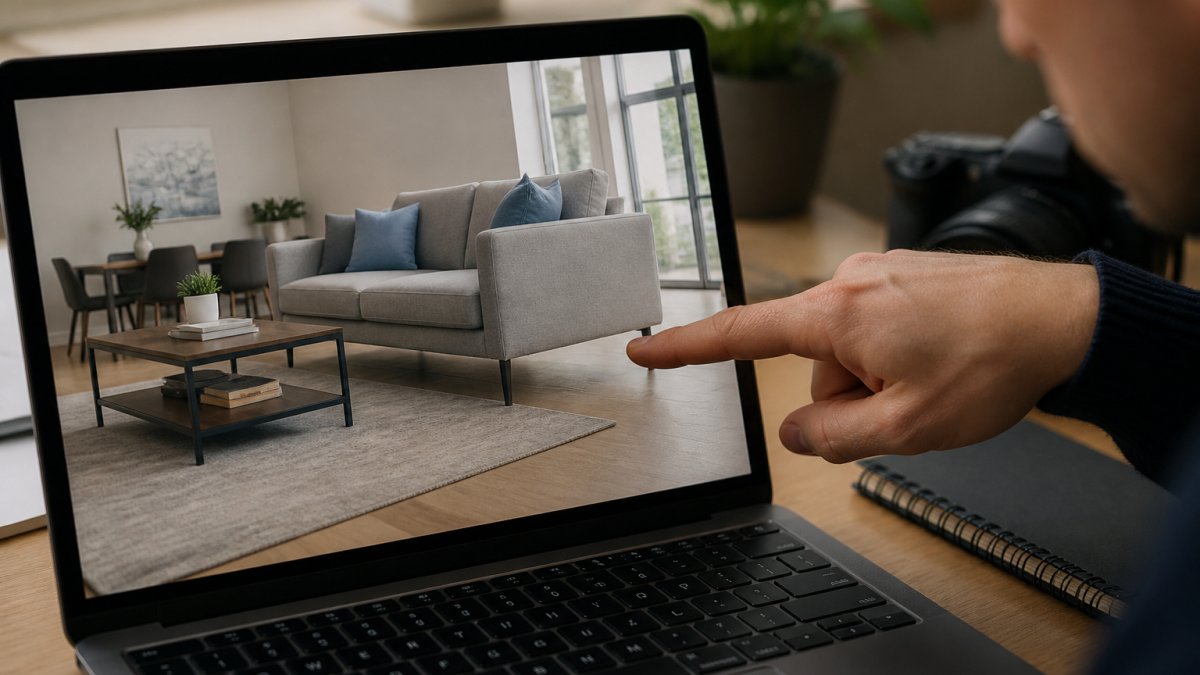
A common mistake is judging at thumbnail size. Open the full-resolution image and zoom to 100%. Most artefacts only show up close.
How to Check Room Size from Property Listing Photos
You can check room size from property listing photos by comparing the floor plan, the stated dimensions, and the furniture itself. If a three-metre-wide room holds a sofa, two armchairs, and a coffee table with room to spare, the furniture is probably scaled down.
Use this three-step check:
- Find the floor plan. Most listings include one. Note the stated width and length of the room.
- Measure the furniture against the wall. A standard sofa is around two metres. If it fills less than half a three-metre wall, the scale is off.
- Check doorways and windows. A door is roughly 0.76 to 0.84 metres wide. Furniture that looks tiny next to a door is a red flag.
Virtual Staging Disclosure in Property Listings
Virtual staging disclosure in property listings means clearly labelling any image where furniture was added digitally. There is no single statute that says "every virtually staged image must carry a label", but that does not mean the practice is unregulated. Property marketing in the UK sits within consumer protection law, and the standards expected of agents and sellers are set out by regulators and redress schemes.
What the rules actually require
The core legal principle is that property marketing must not mislead. The Consumer Protection from Unfair Trading Regulations 2008 prohibit commercial practices that are misleading or aggressive, including misleading actions and omissions (The Consumer Protection from Unfair Trading Regulations 2008).
The National Trading Standards Estate and Letting Agency Team (NTSELAT) has published guidance on property marketing and material information. Its position is that listings should not omit or obscure information that a buyer needs to make an informed decision. National Trading Standards estate and letting agency guidance sets out expectations that property marketing should not mislead.
In practice, that means:
- A visible label on the image itself (for example, "virtually staged") is the safest standard, not small print buried in the description.
- The property description should state which images are edited and that the furniture is not included in the sale or let.
- Any edit that changes the apparent size of a room, the condition of a fixture, or what is included in the sale is far more likely to be treated as misleading than simple brightness or lens correction.
What good disclosure looks like
- A label on the photo reading "virtually staged"
- A line in the property description saying which images are edited
- A clear statement that the furniture is not included in the sale or let
- A floor plan that shows the true room dimensions alongside the staged image
What to do if disclosure is missing or misleading
If you believe a listing is misleading, you have practical routes:
- Ask the agent in writing. Request confirmation of which images are edited and ask for unedited photos of the empty rooms. Keep the reply.
- Raise it with the agent's redress scheme. Estate and letting agents in England and Wales must belong to a government-approved redress scheme (such as The Property Ombudsman or the Property Redress Scheme) (Registering with a redress scheme as a property agent). A complaint about misleading marketing can be escalated there.
- Report it to Trading Standards. Misleading commercial practices can be reported to the local authority Trading Standards service via the Citizens Advice consumer service.
- Check the portal's reporting tool. Most major portals allow you to flag a listing that appears misleading.
Ask directly: "Which of these photos have been digitally altered?" A straight answer tells you a lot about the agent. An evasive one tells you even more.
Questions to Ask an Estate Agent About Listing Photos
Questions to ask an estate agent about listing photos should cover three things: what was edited, whether the furniture is included, and what the room looks like empty. Ask before you book a viewing, not after.
Our recommended list:
- Which images have digitally staged furniture?
- Is any furniture in the photos included in the sale or let?
- Can I see the unedited photos of the empty rooms?
- What are the actual room dimensions?
A good agent answers these without hesitation. Evasion is your cue to look closer at the images yourself.
Distinguishing Virtual Staging from Ordinary Photo Enhancement
Virtual staging adds furniture that was never there. Ordinary photo enhancement corrects brightness, colour balance, and lens distortion without inventing objects. The two get confused, and that confusion works in the seller's favour.
Here is the practical difference:
| Edit type | What changes | Acceptable? |
|---|---|---|
| Brightness and colour correction | Light and tone only | Yes, standard practice |
| Lens correction | Straightens vertical lines | Yes, standard practice |
| Decluttering | Removes minor clutter | Usually, if disclosed |
| Virtual staging | Adds furniture | Yes, if clearly labelled |
| Scale manipulation | Shrinks furniture to enlarge a room | No, misleading |
A Practical Visual Checklist for Spotting Digitally Staged Furniture
Run this checklist on any listing that looks too good. It takes about two minutes per image and catches most digital staging.
- Zoom to full resolution and check furniture edges for blur or warping
- Trace shadows from windows to furniture and confirm they match direction
- Look under every leg for a contact shadow
- Compare furniture size to doors, radiators, and plug sockets
Conclusion
Spotting digitally staged furniture comes down to patience and a few sharp questions. Check the shadows, check the scale, and ask the agent what was edited.
If you are marketing a property and want imagery buyers trust, that is what we do.
Request a quote from Property Home Photos and get images that show the property as it really is.
Frequently Asked Questions
How can you tell if furniture in a property listing has been digitally staged?
Look for shadows that don't match the room's lighting, furniture that appears to float, and reflections that are missing or incorrect. Check for repeated identical items and scale that seems off compared to doorways or windows. Zoom in on edges: digitally staged furniture often has unnaturally sharp outlines or blurred borders. Also compare the furniture style with the property's age and finish. If something feels inconsistent, ask the agent directly.
Can virtual staging make a room look bigger than it is?
Yes, virtual staging can exaggerate room size by using smaller-scale furniture or wide-angle perspectives. To check, compare the room's dimensions with the floor plan if available. Look at fixed elements like radiators, windows, and doors for scale. If the furniture looks too small relative to these features, the room may be smaller than it appears. Always request actual room measurements from the agent.
Should a listing disclose that furniture has been virtually staged?
Yes, transparency is essential. While there is no specific law mandating disclosure in all cases, consumer protection law requires that listings do not mislead buyers. Best practice is to clearly label digitally staged images. If you're unsure, ask the agent whether the furniture is physically present. Reputable agents will confirm and may provide unstaged photos on request.
What should you ask an agent about digitally staged listing photos?
Ask whether the furniture is physically in the property, request unstaged photos, and confirm actual room dimensions. Inquire if the images are labelled as virtually staged and whether the floor plan matches the photos. Also ask about any features that might be hidden by digital furniture, such as radiators or power points. A good agent will answer openly and may arrange a viewing to verify.